Sign in to your GoDaddy account
Open the link below and sign in with your usual GoDaddy credentials.
Open GoDaddy (My Account)Open the "Delegate Access" page
Click your name (top right), then "Account Settings" and "Delegate Access". Faster: type the address below directly in the browser bar.
Path in your account
Your name > Account Settings > Delegate Access
Start an access invitation
In the "People who can access my account" section, click the "Invite to Access" button.
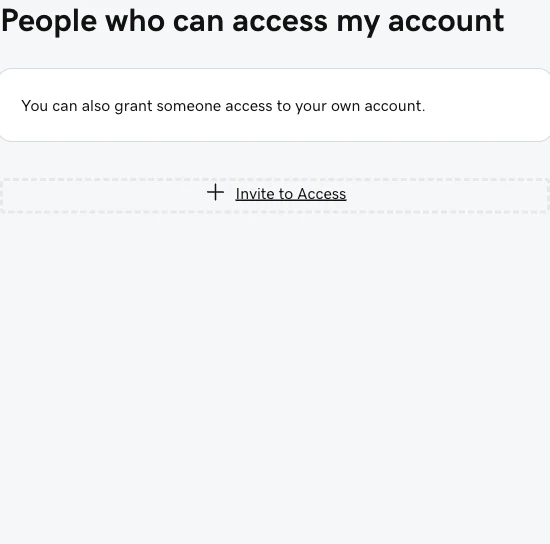
Fill in the form
Enter my name and email, then pick the most restrictive access level. Here are the exact values to enter:
Marc Muller (marcm.fr) [email protected] For "Access level requested", select "Domains Only" (GoDaddy describes it as "Access to manage specific domains only."). It is the most restrictive level: I can manage the domain only, with no access to your payment methods, billing, or other products.
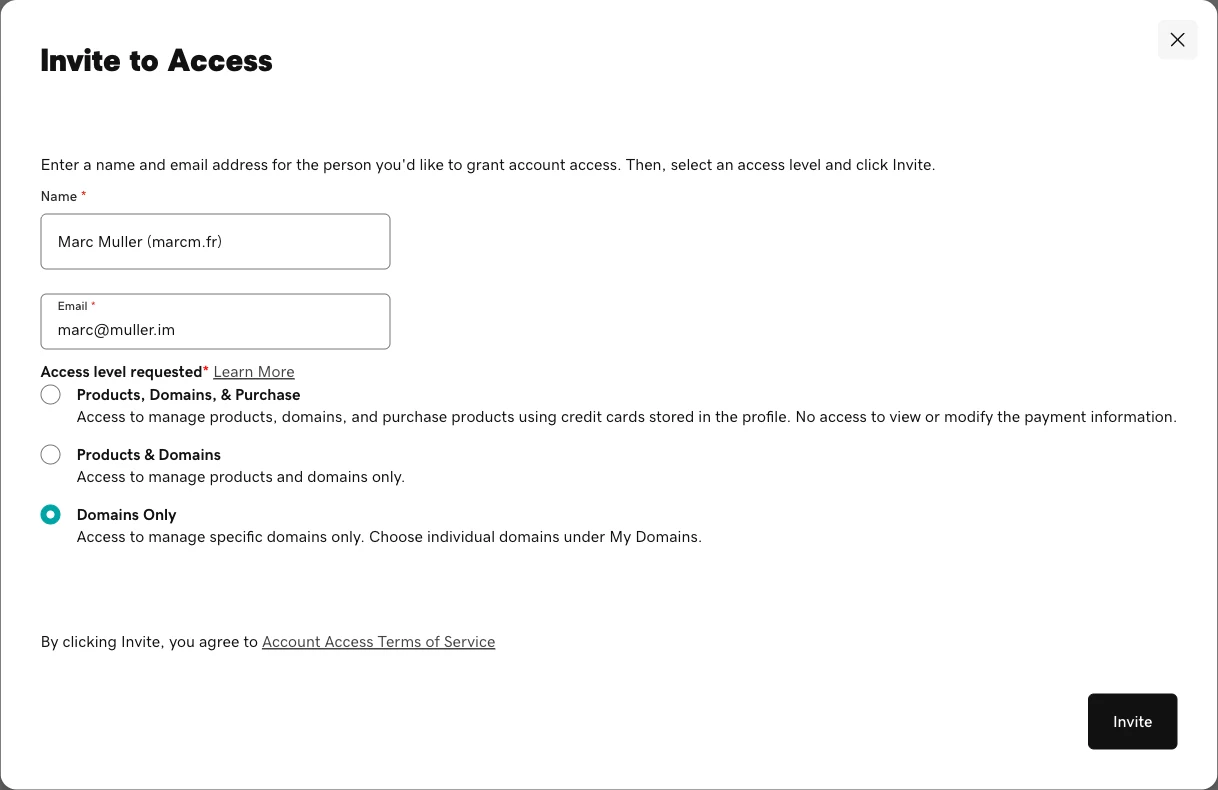
Click "Invite"
GoDaddy then sends me an invitation by email. I accept it on my side and I can set up the connection between the domain and your site.
If GoDaddy asks you to pick a specific domain, select the one for your site.
Confirm it's done
Send me a message by email or WhatsApp with the domain name. I receive the invitation on my side and I start the setup.
You stay in control
You remain the sole owner of your domain. The "Domains Only" level gives me no access to your banking information or your purchases. You can revoke this access at any time from the same "Delegate Access" page.
Frequently asked questions
Why delegate access instead of my credentials?
With delegate access, you keep your credentials to yourself. You invite me as a delegate on your domain only. It's safer for you, and you can remove that access whenever you want.
Does "Domains Only" really protect me?
Yes. That level gives me access to domain management and nothing else. No access to your payment methods, billing, or other GoDaddy products. It's the most restrictive level GoDaddy offers.
Do I remain the owner of my domain?
Always. Delegation transfers nothing: you stay the sole owner of the domain and your account. I'm simply allowed to configure the technical connection to your site.
How do I remove access later?
Go back to the same "Delegate Access" page in your GoDaddy account settings. You'll see the list of authorized people and can revoke an access in one click, at any time.
Once the invitation is sent
Send me your domain name by email or WhatsApp.